
How to Tell if Someone Has Snapchat Plus

How to Tell if Someone Has Snapchat Plus: 9 Signs to Look For (2026)
Black Star Badge ✪ on Profile
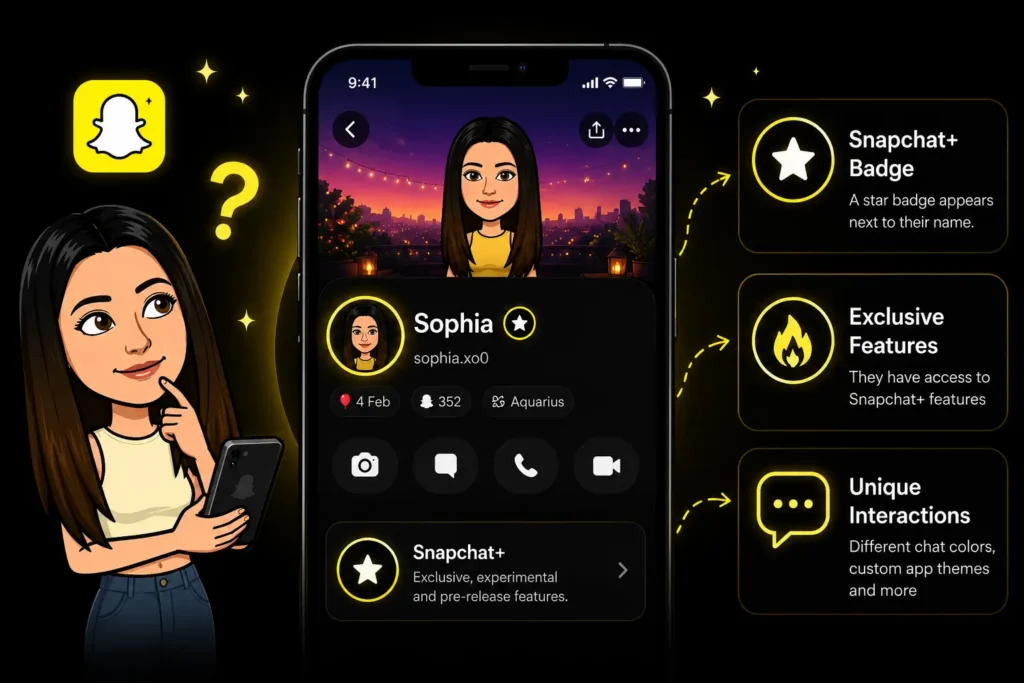
You can tell if someone has Snapchat Plus by looking for the black star badge ✪ next to their name, but that is not the only way. Many users hide the badge, so knowing the other signs helps too. This guide covers 9 ways to spot a Snapchat+ subscriber, including how to tell without the badge.
The Easiest Sign: The Snapchat+ Star Badge
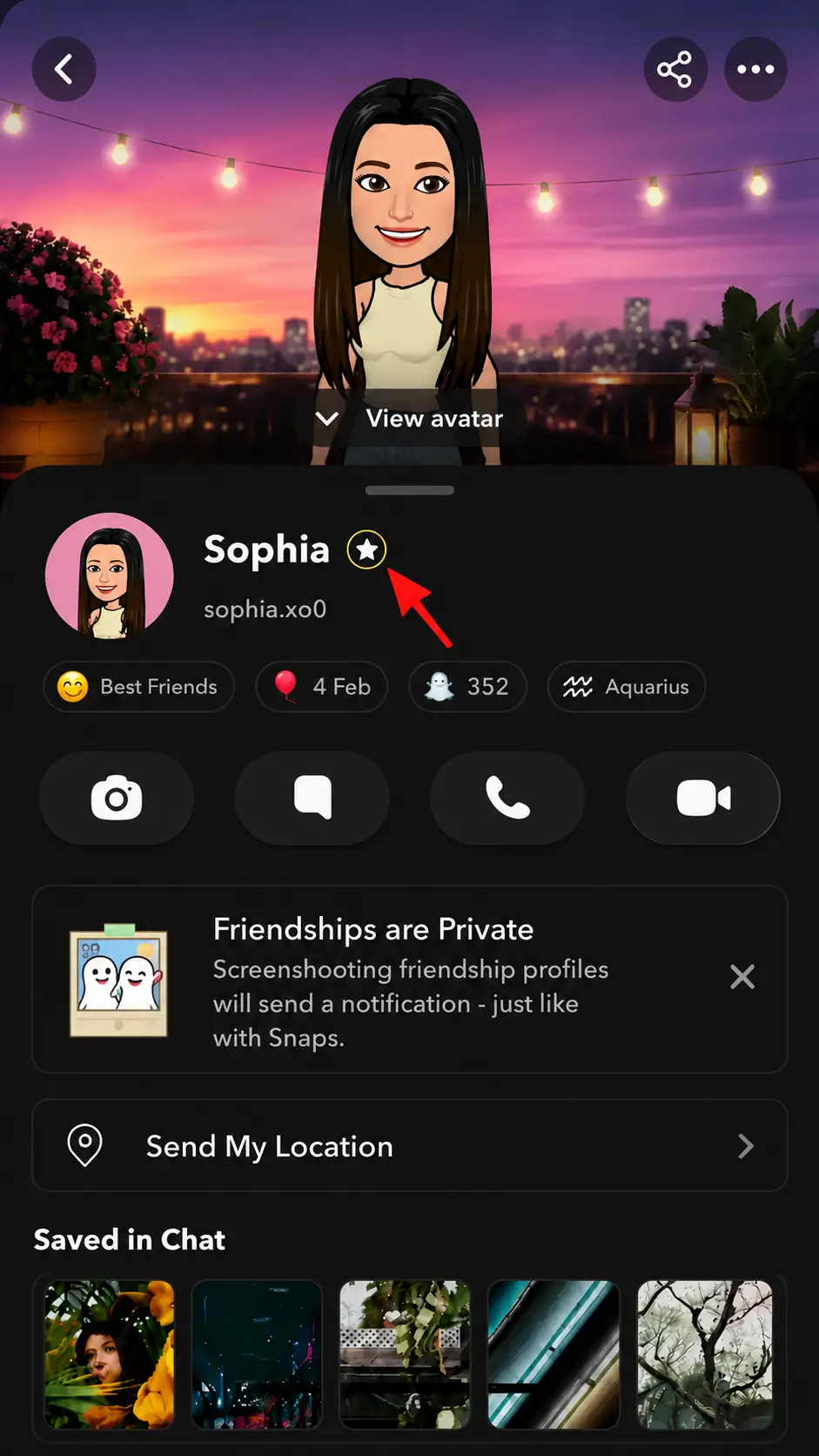
The most obvious sign is the black star badge ✪ that appears next to someone’s display name on their profile.
This badge is exclusive to Snapchat+ subscribers. To check, simply open their profile and look for a small white star in a black circle sitting right next to their name.
The catch: this badge is hidden by default. Subscribers have to manually turn it on in their Snapchat+ settings. So if you do not see it, that does not mean they do not have Snapchat+.
How to Tell if Someone Has Snapchat Plus Without the Badge
Most subscribers hide the badge, which is why this is the most searched question. Here is how to spot Snapchat+ users even when the badge is turned off.
Look for these 4 clues without needing the badge:
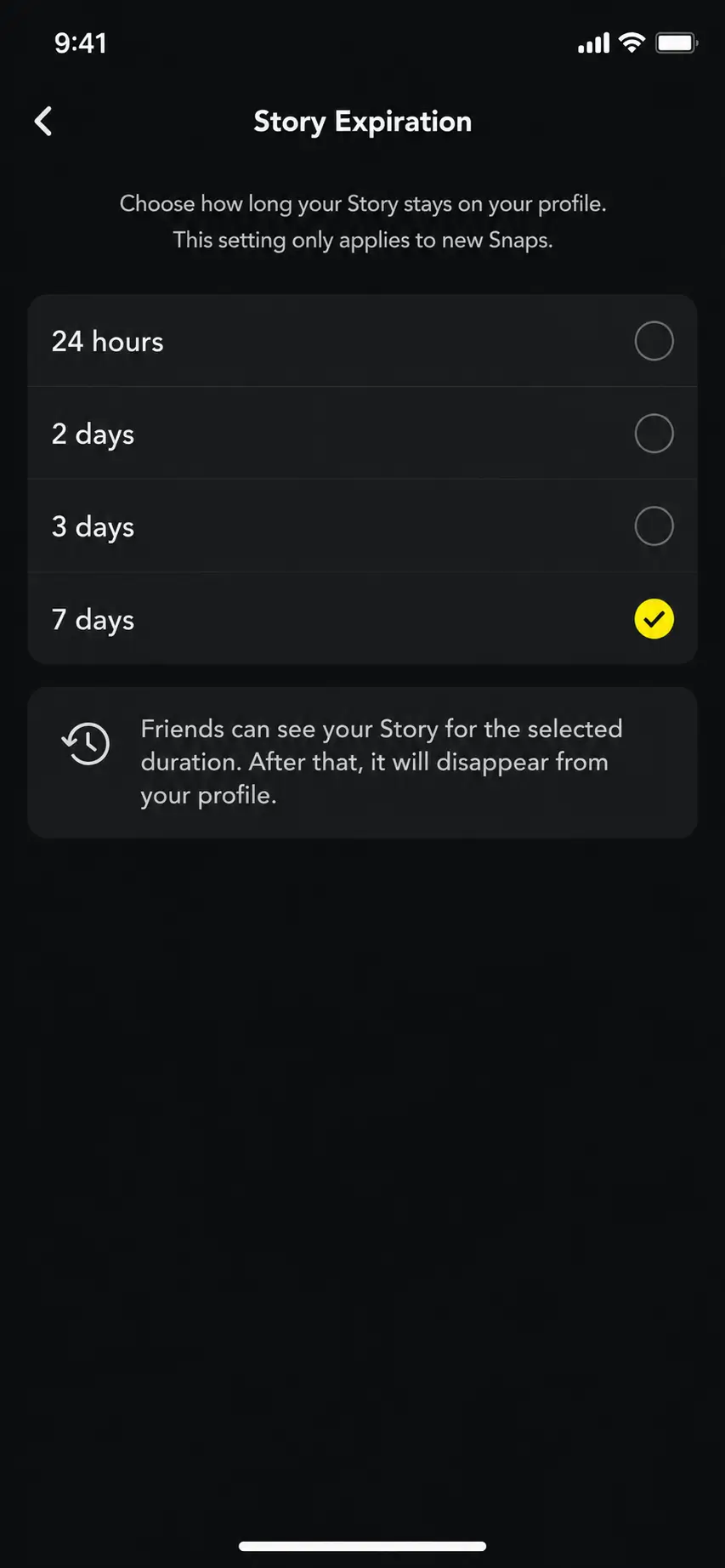
Their Story is still up after 24 hours. Normal Snapchat Stories disappear after 24 hours. Snapchat+ users can keep Stories live for up to one week. If you see the same Story from a friend after a full day, they almost certainly have Snapchat+.
Your chat has a custom wallpaper. When you open a one-on-one chat and notice a custom wallpaper or background image, that is a Snapchat+ exclusive feature. Regular users cannot set custom chat wallpapers.
Their Bitmoji profile has an AI background. Snapchat+ users can set exclusive AI-generated Bitmoji backgrounds on their profiles. These have a small golden AI badge on them. If you see a unique or elaborate background on their profile, that is a strong sign.
They have a post-view emoji. After you open a Snap from someone, if you notice a small custom emoji appearing next to their name in your chat tab, that is a Snapchat+ post-view emoji. Regular users cannot set these.
Extended Stories & AI Bitmoji Background
8 More Signs Someone Has Snapchat Plus
Beyond the badge and the clues above, here are more indicators to look for:
- Pinned #1 BFF If someone appears pinned at the top of their chat feed with a special #1 BFF label or heart, the person who pinned them has Snapchat+. Regular users cannot pin a friend to the top.
- Friend Solar System planets If you open someone’s profile and see a Best Friends or Friends badge with a gold ring, and tapping it shows you a planet, that person has Snapchat+. The Friend Solar System is a Snapchat+ exclusive feature.
- Your Snap was replayed twice. Regular Snapchat only gives one replay. If you send a Snap and see two replay notifications from the same person, they have Snapchat+.
- Custom Snap Map icon On the Snap Map, Snapchat+ users can display pets, cars, or other icons alongside their Bitmoji. If you spot a Bitmoji with a puppy or a car on the map, that is a Plus perk.
- Unique or custom app icon Snapchat+ users can change their Snapchat app icon to a custom design. You cannot see this on your end, but if they mention or show you, it confirms they have Plus.
- Comic Bitmoji style If someone’s Bitmoji has a noticeably different comic-style appearance with sharper outlines, they may have Snapchat+ with the Comic Bitmoji feature enabled.
- Instant Snap Streak Normally, it takes 3 days of snapping to start a Streak. If you start chatting with someone new and see the fire emoji immediately, they have Snapchat+ and have used the Instant Streak feature.
- Snapscore jumps unusually fast. Snapchat+ includes a Snapscore Multiplier. If you notice someone’s Snap Score increasing much faster than usual, they likely have Snapchat+.
If Someone Has Snapchat Plus, What Can They See About You?
This is one of the most common concerns, and the answer depends on which features they have enabled.
Profile Views: Snapchat+ does not give subscribers the ability to see who viewed their profile. This is not a Snapchat+ feature.
Half Swipe / Peek a Peek: Yes, this is a real Snapchat+ feature. If someone has Peek a Peek enabled, they will receive a notification when you half-swipe on their chat to preview their message without fully opening it. If they later bring up that you “peeked” at their message, they likely have this feature turned on.
Friends in Chat: If someone has Friends in Chat enabled, they can see when you are actively reading their messages in real-time; their Bitmoji will appear at the bottom of the chat screen on your end too. Both users need this feature toggled on for it to work.
Story Rewatches: Snapchat+ users can see how many times you rewatched their Story. Regular users cannot see rewatch counts.
Can Someone Hide Their Snapchat Plus? Yes, and most subscribers do.
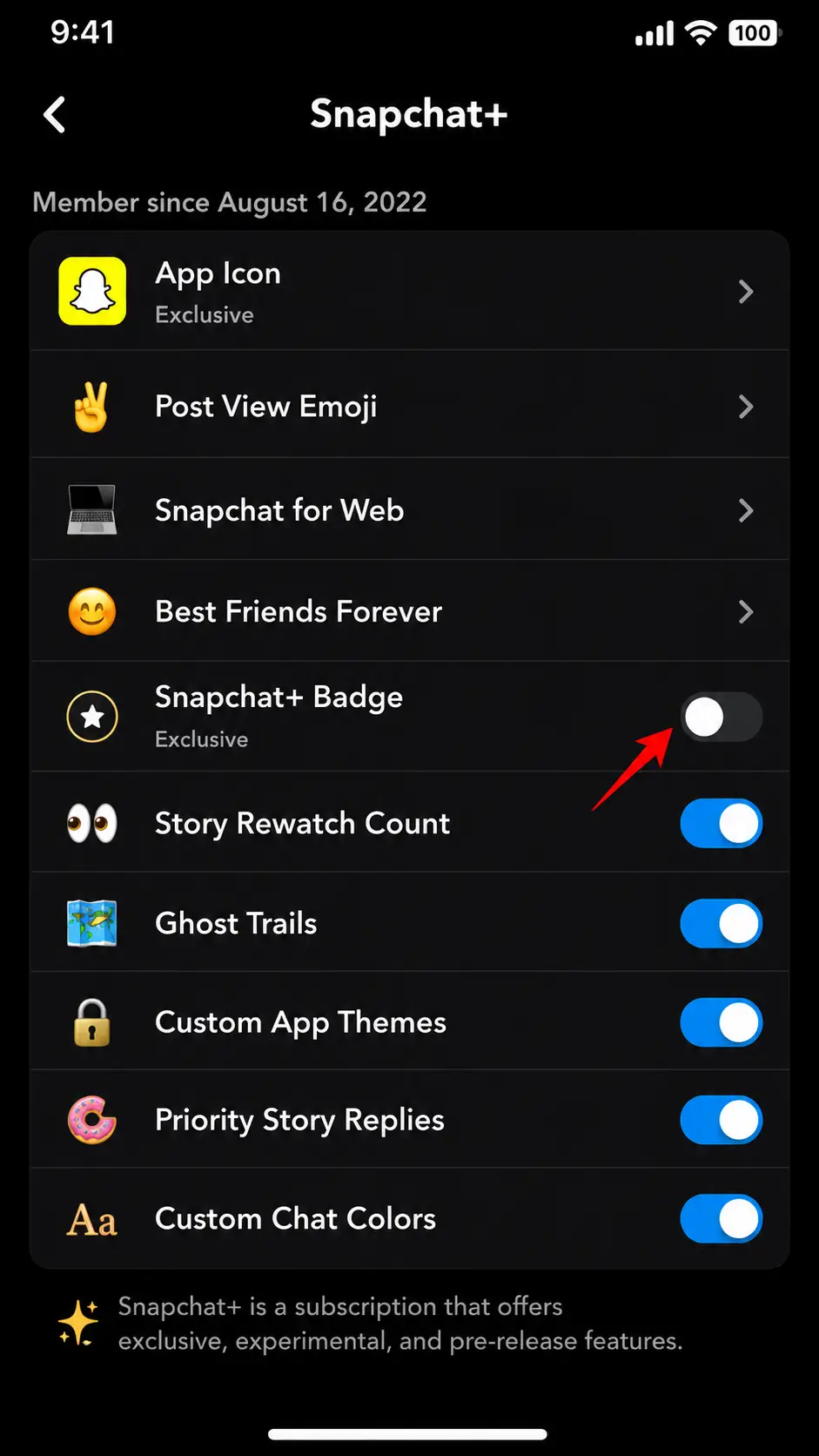
The star badge ✪ is hidden by default for all new Snapchat+ subscribers. To show it, they need to manually enable it in their settings. So the absence of a badge does not confirm that they do not have Snapchat+.
Beyond the badge, subscribers can also choose not to use many visible features: no custom wallpaper, no post-view emojis, no AI background, making it almost impossible to detect.
How to hide the badge (for Snapchat+ users): Open Snapchat and go to your Profile. Tap the Snapchat+ banner. Find the Snapchat+ Badge option. Toggle it off.
Hide Snapchat+ Badge in Settings
Once hidden, the badge disappears from your display name, and no one can see it.
Frequently Asked Questions
Look for the black star badge ✪ next to their name on their profile. If the badge is hidden, check for extended Stories still up after 24 hours, custom chat wallpapers, AI Bitmoji backgrounds, or post-view emojis in your chat tab.
The ✪ black star is the Snapchat+ Subscriber Badge. It appears next to a subscriber’s display name when they choose to show it. It confirms that the person has an active Snapchat+ subscription.
Yes. Look for Stories lasting more than 24 hours, custom chat wallpapers, AI-generated Bitmoji backgrounds, post-view emojis after opening their Snaps, or Friend Solar System planets on their profile. These are all Snapchat+ exclusive features.
Yes. The badge is hidden by default and must be manually enabled. Subscribers can also avoid using visible features like custom wallpapers or AI backgrounds, making it nearly impossible for others to confirm they have Snapchat+.
No. Snapchat+ does not include a profile view tracker. They cannot see who viewed their profile.
Yes, if they have Peek a Peek enabled. This Snapchat+ feature sends a notification when you half-swipe to preview their message without fully opening it. Not all Snapchat+ users have this feature turned on.
Snapchat+ includes a Snapscore Multiplier. If you notice someone’s Snap Score jumping unusually fast in a short period of time without matching activity levels, they may be using this feature.
The Snapchat+ badge is purely cosmetic. It shows a black star ✪ next to your display name to signal you are a subscriber. It has no functional benefit; it is just a status indicator.
The symbol is ✪. You can copy it from here. However, copying the symbol does not give you Snapchat+ features. The actual badge only appears for verified subscribers inside the app.