How to Check Snapchat Solar System

How to Check Snapchat Solar System: Step-by-Step Guide (2026)
To check your Snapchat solar system, open a friend’s profile, find the gold ring badge, and tap it to see your planet position. Both users need an active Snapchat+ subscription and the Friend Solar System feature toggled on. If this is your first time, you need to enable it manually first it is off by default.
What Is the Snapchat Solar System?
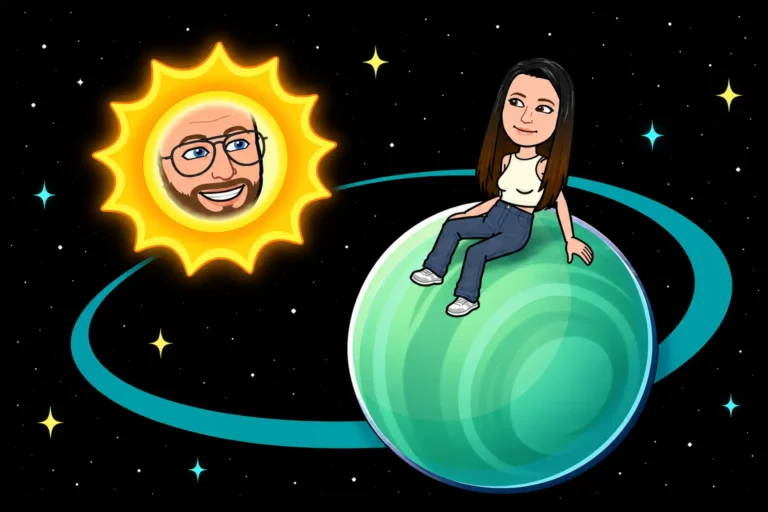
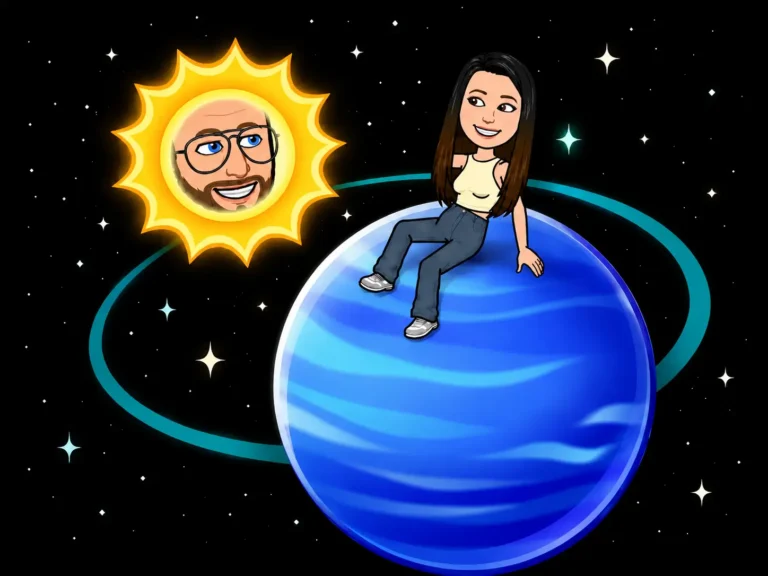
The Snapchat Solar System, also called the Friend Solar System, is a Snapchat+ exclusive feature that ranks your top 8 closest friends as planets orbiting around you. You are the Sun at the center of your own solar system.
The ranking is based on who you snap, chat, and interact with the most over the last 14 days. Your #1 friend is Mercury, the closest planet. Your #8 friend is Neptune, the farthest.
This feature is only available to Snapchat+ subscribers. Without an active subscription, you cannot see or use the solar system at all.
How to Enable the Snapchat Solar System
Before you can check any planet position, the solar system feature needs to be turned on. Here is how:
You only need to do this once. The feature stays on unless you manually turn it off.
If you cannot find the toggle, go to Snapchat+ Settings → Manage Features → Friend Solar System. The exact path depends on your app version.
How to Check Your Snapchat Solar System
Once the feature is enabled, checking your position takes 3 taps:
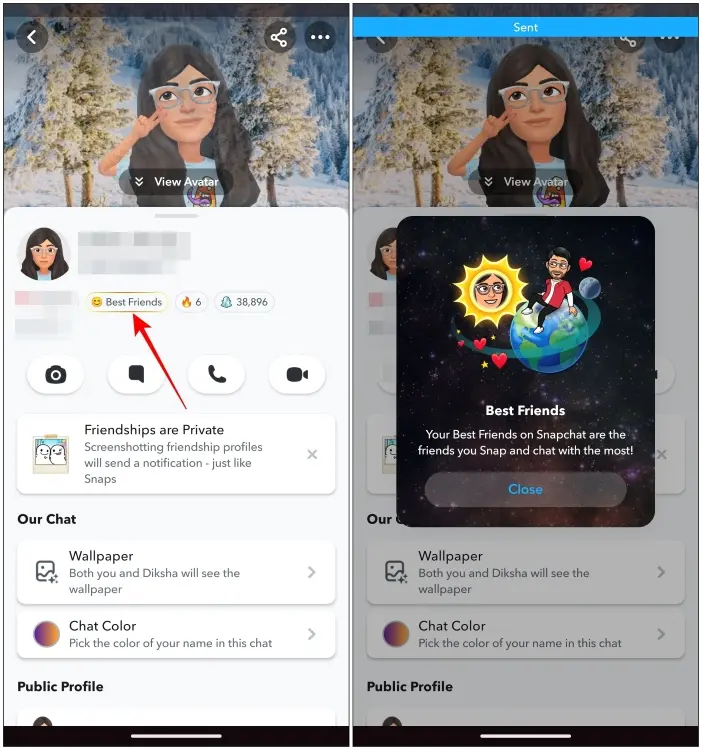
How to check Snapchat solar system: tap friend profile, tap gold ring badge, planet position reveals in Friend Solar System.
The planet you see is your position in their solar system. Mercury means you are their #1 friend. Neptune means you are their #8.
To check who is in your own solar system, meaning who your Mercury, Venus, and Earth are, tap each friend’s profile from your side. Their planet shows their rank in your list.
What Each Planet Means in Your Solar System
Once you tap the badge, here is what each planet means:
| Planet | Position | Meaning |
|---|---|---|
| Mercury | #1 | Your #1 best friend – the person you interact with most |
| Venus | #2 | Your 2nd closest friend |
| Earth | #3 | Your 3rd closest friend |
| Mars | #4 | Your 4th closest friend |
| Jupiter | #5 | Your 5th closest friend |
| Saturn | #6 | Your 6th closest friend |
| Uranus | #7 | Your 7th closest friend |
| Neptune | #8 | Your 8th closest friend – least interaction in top 8 |
See the complete snapchat planet order from Mercury to Neptune.
Important: rankings are based on your last 14 days of snaps, chats, and story interactions. They update automatically every 24 to 48 hours.
Important: rankings are not mutual. You can be someone’s Mercury while they are your Saturn. Each person has their own independent solar system.
How to Check Someone Else’s Solar System on Snapchat
You can also check where your friend ranks in your own solar system, meaning you can see which planet they are to you.
To do this:
The difference: when you view from your profile, you see who ranks where in your list. When you view their profile, you see where you rank on their list.
There is no single screen that shows all 8 of your solar system friends at once. You check one friend at a time.
Why Can’t I See My Snapchat Solar System?
If the solar system is not showing up, one of these reasons is usually the cause:
- Snapchat+ subscription is not active – You need an active subscription
- Feature is not enabled – Friend Solar System must be toggled ON in settings
- Your friend doesn’t have Snapchat+ – Both users need the subscription
- You’re not in their top 8 – No badge means you’re not ranked
- App needs updating – Make sure you have the latest version
Not sure if your friend has Snapchat+? Here is how to tell if someone has Snapchat Plus.
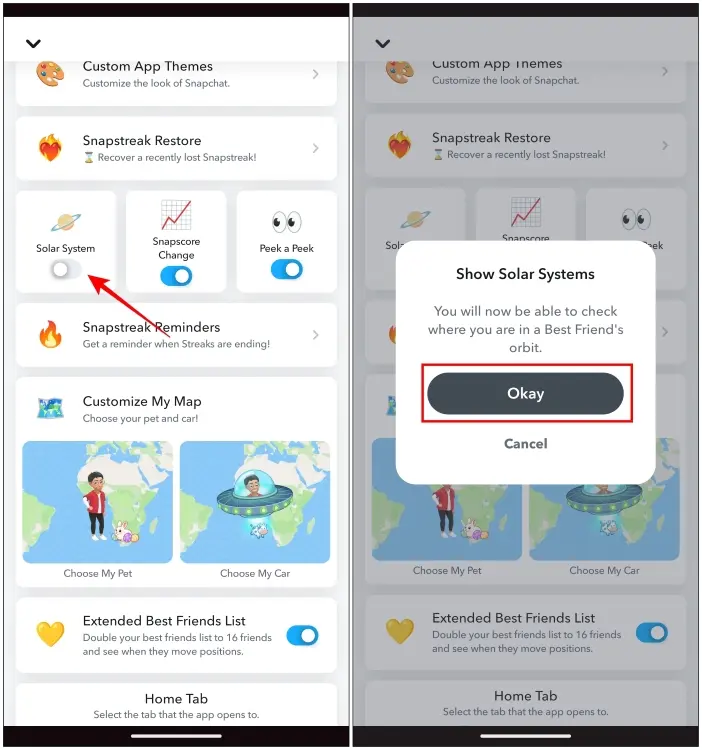
How to enable the Snapchat solar system toggle on Friend Solar System in Snapchat+ settings.
The most common fix is to go to your Snapchat+ settings and make sure Friend Solar System is toggled ON. Many users enable Snapchat+ but forget to turn on this specific feature, which is off by default.
Frequently Asked Questions
Tap on a friend’s profile, look for the gold ring badge under their name, and tap it. Your planet position appears. Both users need Snapchat+ and the feature must be enabled.
Open their profile and tap the gold ring badge. If a planet appears, you are in their top 8. No badge means you are not in their orbit right now.
No. Checking someone’s solar system is private. They cannot see when you tap their badge or view your planet position.
Check if the Friend Solar System is still toggled on in your Snapchat+ settings. Also, confirm your subscription is active. If your friend disabled the feature on their end, no planet will show when you tap their badge.
Yes for what it measures. It accurately reflects your last 14 days of snaps, chats, and story interactions. It does not measure real-life closeness, only app activity.
Same steps as above: the feature is exclusive to Snapchat+. Enable it under Snapchat+ Settings → Friend Solar System, then tap any friend’s gold ring badge to see their position.
You are the Sun. Your top 8 most active contacts are assigned planets: Mercury for #1, Neptune for #8. Rankings update every 24 to 48 hours based on recent snaps, chats, and story replies.
Tap your Profile → Snapchat+ banner → scroll to Friend Solar System and toggle on. Then open any friend’s profile, tap the gold ring badge, and your planet position will appear.